


Play Dunk Dash Online
- Game type
- Fast-paced 3D basketball dunk game
- Player mode
- Single-player match against an in-game opponent
- Platform
- Browser game
- Modes / play format
- Quick basketball matches, Dunk-focused scoring, Player, ball, and court customization
- Controls
- Arrow keys to move · Swipe or slide on touch screens
- Categories
- BasketballArcade
Play Dunk Dash online. Move with arrow keys or swipe, grab the ball, outrun your opponent, and dunk near the hoop in a quick 3D basketball game.
Run, carry the ball, and dunk in Dunk Dash
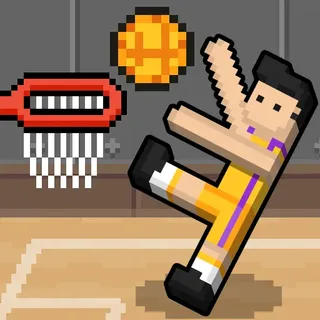
Dunk Dash is a fast-paced 3D basketball game built around quick matches and slam dunks. Grab the ball, move toward the other hoop, and reach the painted area. The game description says your character jumps and dunks automatically when close enough to the rim.
The objective is to score more baskets than the opponent. Instead of aiming a long shot, focus on carrying the ball into a good position near the hoop and taking the opening for a dunk.
Dunk Dash controls for keyboard and touch
Use the Arrow keys to steer the character on a computer. On a phone or tablet, slide or swipe to move. The listed controls do not assign separate keys for jumping or shooting; moving close to the basket triggers the dunk described by the source.
Keep moving once you have possession. Quick direction changes can help you reach the painted area before the opponent catches up, while a slow approach gives the other side more time to take the ball.
Keep possession and chase the next chance
The opponent can steal the ball, so a scored dunk is not the only moment to watch. If possession changes, move after the opponent and try to recover before they reach your hoop. The source recommends quick movement instead of standing still when the ball is taken.
The game is about timing a run into the basket area rather than managing a full set of basketball actions. Learn how the character accelerates, then use short turns to stay between the ball and the opposing rim.
Customize the court and player
Dunk Dash includes options to customize players, basketballs, and courts. The title menu also shows a rank progression and a shop, giving you goals to return to after a match.
Choose Dunk Dash for a quick 3D game focused on movement and finishing at the rim. Basketball Hit is a solo launch-and-upgrade game, while Head Basketball offers a shared-PC two-player mode and more keyboard actions.
Dunk Dash controls
- Use the Arrow keys to move your character across the court.
- On touch screens, slide or swipe to move.
- Run toward the opponent's hoop with the ball; the game description says the player jumps and dunks automatically when close to the rim.
Dunk Dash emphasizes movement and reaching the hoop. The source lists Arrow keys or sliding as the movement input; the live game prompt is the reference if the current build changes its controls.
Dunk Dash questions
How do you play Dunk Dash?
Move toward the opponent's hoop with the ball and reach the area near the rim to trigger a dunk. Score more baskets than the opponent.
What are the Dunk Dash controls?
Use the Arrow keys to move on a computer, or slide/swipe on a touch screen. The described build dunks automatically when you get close to the hoop.
Can the opponent steal the ball in Dunk Dash?
Yes. The game description says the opponent can take the ball, so chase them and try to recover possession.
Can you customize Dunk Dash?
The source lists customization options for players, balls, and courts.
Loading comments…