





Play Basketball Slam Dunk Online
- Game type
- Retro pixel-art basketball arcade game
- Player mode
- Single player against CPU or local two-player mode
- Platform
- Browser game
- Modes / play format
- 1 Player, 2 Players, First to 3 points
- Controls
- P1: A/D move and jump, W throw · P2: Left/Right move and jump, Up throw
- Categories
- Basketball2 PlayerArcade
Play Basketball Slam Dunk online in 1 Player or 2 Players mode. Move, jump, and throw the ball in a retro match where the first side to three points wins.
Play Basketball Slam Dunk online
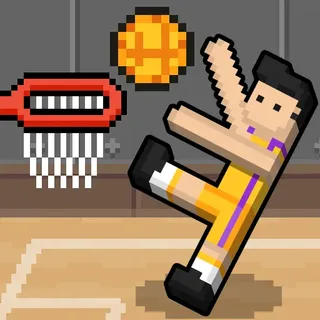
Basketball Slam Dunk is a retro pixel-art basketball game built for quick one-on-one rounds. The source page offers a one-player route and a two-player option, so you can play against the CPU or share the keyboard with someone beside you. The match has a clear target: be the first side to score three points.
The action is focused on moving, jumping, and throwing the ball. Instead of a long list of dribble and defense keys, each player has a directional pair and a separate throw button. That simple layout makes it easy to begin a short match after checking which side of the keyboard belongs to each player.
Basketball Slam Dunk controls for both players
Player 1 uses A and D to move and jump, then presses W to throw. Player 2 uses the Left and Right Arrow keys to move and jump, with Up Arrow to throw. The controls share one keyboard, so each player can stay on a different side while trying to reach the ball and set up a shot.
Phones and tablets can use the game's touch controls. If you are playing on a keyboard, watch the player movement after each key press and try to jump into a throwing position before releasing the ball. The live menu remains the best place to confirm the mapping if the host updates the game.
A first-to-three basketball match
The source describes the match as a race to three points. That short target keeps the game moving: start a round, compete for possession, and make enough baskets to reach the score before the other side. It works well when you want a quick local game rather than a longer season or tournament menu.
The game can be played alone against the CPU or with two people on one device. Those are different ways to use the same court; the two-player option is local keyboard play, not a promise of online matchmaking. Open the 2 Player Basketball Games category to compare it with other titles that also list shared-device play.
When to choose Basketball Slam Dunk
Choose Basketball Slam Dunk for a compact, colorful match with dedicated jump-and-throw keys. Basketball Bros offers Practice and Tournament choices, Basketball Plus+ lists Quick Match, Tournament, and Career on its developer page, and Head Basketball adds solo, same-PC two-player, and Quick Match formats. Each game page records its own source and controls.
This directory collects basketball browser games, so the same page layout leads to different playable titles. Use the related cards to try another style, or return to Basketball Games to see the whole collection and open an individual game page before starting.
Basketball Slam Dunk controls
- Player 1 uses A and D to move and jump, then W to throw the ball.
- Player 2 uses Left and Right Arrow to move and jump, then Up Arrow to throw.
- Touch controls are available on supported phones and tablets.
The current source page lists these player-specific keys and touch controls. Use the live game prompt if the host changes its build.
Basketball Slam Dunk questions
Can you play Basketball Slam Dunk with two players?
Yes. The game has a 2 Players option for local play on one device.
What are the Basketball Slam Dunk controls?
Player 1 uses A/D to move and jump and W to throw. Player 2 uses Left/Right Arrow to move and jump and Up Arrow to throw.
How many points are needed to win?
The source page describes the match as first to three points.
Can you play Basketball Slam Dunk on a phone?
The game source page says it supports touch controls on phones and tablets.
Loading comments…